Download
Download a zipped BAS file with procedures for getting Access Version information
Extract and save BAS file from the Zip file AFTER
unblocking the zip file to to remove Mark of the Web if necessary.
Steps:
https://msaccessgurus.com/MOTW_Unblock.htm
License
This may be used freely, but you may not sell it in whole or in part.
You may include it in applications you develop for others provided you keep attribution, mark your modifications, and share this source link.
VBA
module: bas_AccessVersion_SysCmd_s4p
Option Compare Database
Option Explicit

'*************** Code Start *****************************************************
' module name: bas_AccessVersion_SysCmd_s4p
'-------------------------------------------------------------------------------
' Purpose  : VBA to Access Version with New SysCmd Actions
'            New Actions for SysCmd, Current Channel
'              Version, Build, Channel, and Bitness
' Author   : crystal (strive4peace)
' Code List: https://msaccessgurus.com/code.htm
' This code: https://msaccessgurus.com/VBA/AccessVersion.htm
' LICENSE  :
'   You may freely use and share this code, but not sell it.
'   Keep attribution. Mark your changes. Use at your own risk.
'-------------------------------------------------------------------------------
'     Procedures in this module:
'  SUBs
'     Version_NewSysCmd_Actions
'     Version_SysCmd_before
'  FUNCTION
'     GetFullAccessVersion
'-------------------------------------------------------------------------------
'                       Version_NewSysCmd_Actions
'-------------------------------------------------------------------------------
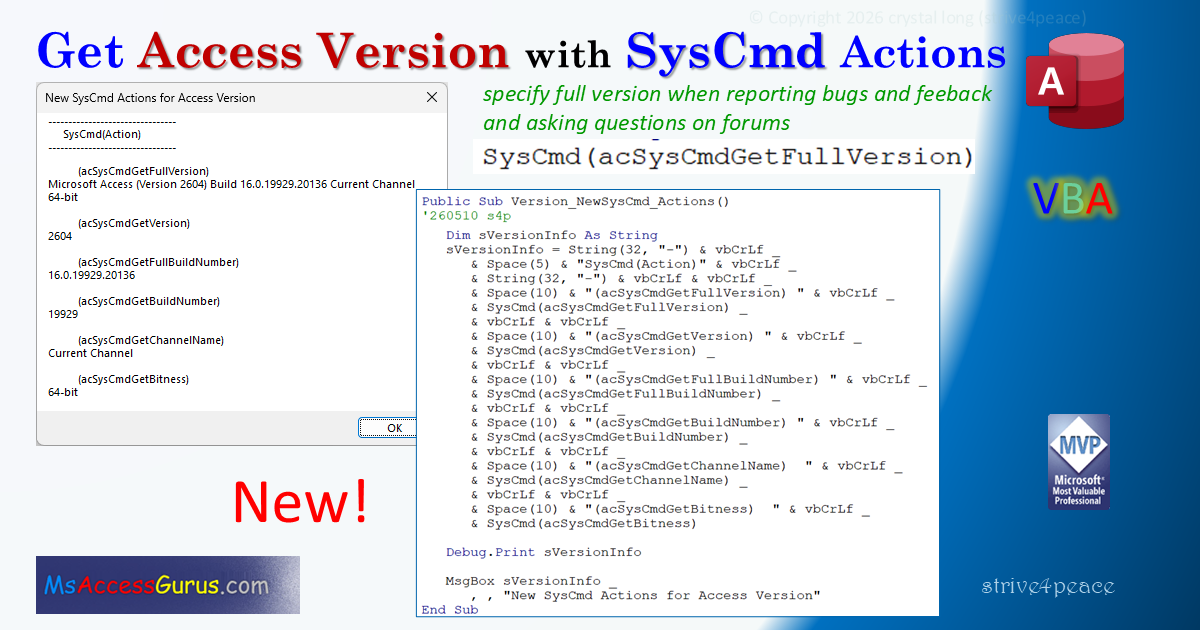
Public Sub Version_NewSysCmd_Actions()
'260510 s4p
   ' Click in this procedure
   '     and Press F5 to Run!
   '     or from menu, choose Run, Run Sub/Userform

   Dim sVersionInfo As String
   sVersionInfo = String(32, "-") & vbCrLf _
      & Space(5) &  "SysCmd(Action)" & vbCrLf _
      & String(32, "-") & vbCrLf & vbCrLf _
      & Space(10) &  "(acSysCmdGetFullVersion) " & vbCrLf _
      & SysCmd(acSysCmdGetFullVersion) _
      & vbCrLf & vbCrLf _
      & Space(10) &  "(acSysCmdGetVersion) " & vbCrLf _
      & SysCmd(acSysCmdGetVersion) _
      & vbCrLf & vbCrLf _
      & Space(10) &  "(acSysCmdGetFullBuildNumber) " & vbCrLf _
      & SysCmd(acSysCmdGetFullBuildNumber) _
      & vbCrLf & vbCrLf _
      & Space(10) &  "(acSysCmdGetBuildNumber) " & vbCrLf _
      & SysCmd(acSysCmdGetBuildNumber) _
      & vbCrLf & vbCrLf _
      & Space(10) &  "(acSysCmdGetChannelName)  " & vbCrLf _
      & SysCmd(acSysCmdGetChannelName) _
      & vbCrLf & vbCrLf _
      & Space(10) &  "(acSysCmdGetBitness)  " & vbCrLf _
      & SysCmd(acSysCmdGetBitness)

   Debug.Print sVersionInfo

   MsgBox sVersionInfo _
      ,, "New SysCmd Actions for Access Version"
End Sub
'-------------------------------------------------------------------------------
'                       SysCmd_before
'-------------------------------------------------------------------------------
Public Sub Version_SysCmd_before2604()
'260508 s4p
'this is all we had before the new SysCmd Actions
'        not very helpful
   ' Click in this procedure
   '     and Press F5 to Run!
   '     or from menu, choose Run, Run Sub/Userform

   Dim sInfo As String

   sInfo = Space(10) &  "acSysCmdAccessVer  " & vbCrLf _
      & SysCmd(acSysCmdAccessVer)
   Debug.Print sInfo
   MsgBox sInfo _
      ,, "SysCmd Action for Version we had before 2604"
End Sub
'-------------------------------------------------------------------------------
'                       GetFullAccessVersion
'-------------------------------------------------------------------------------
Public Function GetFullAccessVersion()
'260510 s4p
'specify full version when reporting bugs and feeback
'and asking questions on forums
'available in 365
   ' Click in this procedure
   '     and Press F5 to Run!
   '     or from menu, choose Run, Run Sub/Userform

   Dim sVersion As String
   sVersion = SysCmd(acSysCmdGetFullVersion) _
   & vbCrLf

   Debug.Print sVersion
   MsgBox sVersion & vbCrLf & vbCrLf _
      &  "Press Ctrl-G to go to the immediate (debuG) window " _
      &  "to copy the Microsoft Access version information" _
      ,, "Access full Version"
End Function
'*************** Code End *******************************************************
Code was generated with colors using the free
Color Code add-in for Access
Goto Top